Transmission Module
Page's last update : 05/09/2024

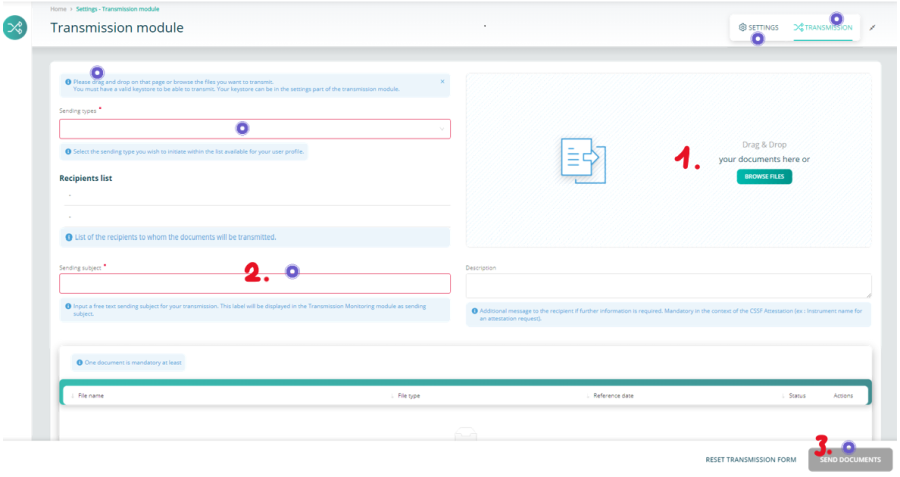
- Add one or several documents
- Fill the red-framed fields
- Send
Keystore Selection
The activated keystore, containing your LUXTRUST certificate and your encryption keys, must now be provided to the workstations of users that send encrypted reports.
1- Click the settings button
2- Click the Browse button and select your keystore
3- Tick the 'Save keystore settings' to keep your change

It's done