Transmission Module
Page's last update : 12 Oct 2024

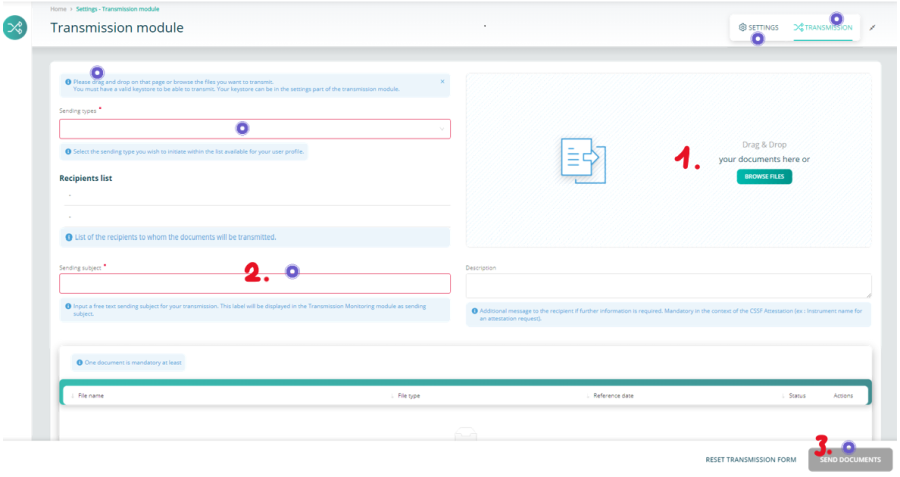
- Add one or several documents
- Fill the red-framed fields
- Send
Keystore Selection
If you send reports through the e-file's historical channel (i.e. encrypted with keystore), your e-file local administrator should have provided you with the last activated keystore file.
- Click the settings button
- Click the Browse button and select your keystore
- Tick the 'Save keystore settings' to keep your change

It's done